Tzofar - Red Alert
Real-time Red Alert notifications and alerts for various threats


Alert Platforms
Receive Tzofar alerts through the app, your browser, social media and other channels.

Mobile App
An advanced app for iPhone and Android with city and area selection, custom alert sounds, silent mode override, location-based alerts, voice announcements, alert history, a live map and more.

Website (Browser Tab)
A web page that displays alerts on a map in real time. Keep the page open and alerts will appear automatically, along with the type of threat.

Telegram
A Telegram channel that publishes alerts from across the country, including the affected cities, the type of threat and a map showing the areas where the alert was activated.

Google Chrome Extension
A Google Chrome extension that provides real-time alerts through pop-up notifications showing the affected cities and a map, with options to select cities and customize the alert sound.

A WhatsApp channel that publishes alerts from across the country, including the affected cities, the type of threat and a map showing the areas where the alert was activated.

A Facebook page where alerts from across the country are published with a summary of the affected cities, the type of threat and a map showing the areas where the alert was activated.

X (Twitter)
An X account where alerts from across the country are published with a summary of the affected cities, the type of threat and a map showing the areas where the alert was activated.
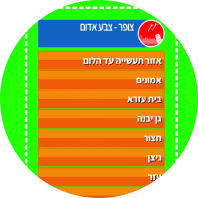
Live Overlay
A web page that displays alerts in real time as a live list, with a green-screen background for use with software such as OBS during live broadcasts.
Tzofar - Red Alert
Tzofar provides real-time alerts for sirens across Israel. In addition to Red Alerts, Tzofar also supports early warnings and alerts for other threats, such as Hostile aircraft intrusion, Fear of Terrorists infiltration, Earthquake and more. The type of threat is displayed with every alert.
You can receive alerts for selected cities and areas of interest, based on your current location, or choose to receive alerts from across the country. You can also choose from a variety of alert sounds and enable voice announcements that read out the names of the cities where an alert has been activated.
Tzofar is available across a variety of platforms, including an iPhone and Android app, a website with a real-time alert map, a Google Chrome extension, and Telegram and WhatsApp channels.
Support Tzofar
Tzofar was developed voluntarily for the benefit of the people of Israel. Running the servers costs money, and every donation helps cover development, server and ongoing maintenance costs.
Frequently Asked Questions
Why aren't voice announcements available on iPhone?
Why did voice announcements stop reading city names on Android? Why did the alert sound stop working?
What is the difference between primary and secondary alerts?
For example, you can set Palmachim as a primary alert with a siren sound at high volume, while setting the entire country as a secondary alert with a different sound.
Primary alerts have higher priority. If the same alert matches both your primary and secondary alert settings, only the sound configured for the primary alert will be played.
Why am I receiving alerts for cities I didn't select?
If you selected an area under "Entire Areas," such as the Gaza Envelope, you will receive alerts for all cities and communities included in that area. If you only want alerts for specific cities, do not select entire areas.
Why am I receiving alerts from other areas even though I enabled location-based alerts?
When an alert is received based on your location, the words "In your area" will appear at the beginning of the alert. If you only want to receive location-based alerts, deselect all other cities and entire areas.
Problems receiving alerts on iPhone
What does each color on the map represent?
The colors on the alert map represent the different types of threats:
There's no need to memorize the colors - the name of the threat will be displayed alongside the corresponding color in every alert.
Where can I view the complete alert history?
The archive includes charts showing alert frequency by city and area, time of day and threat type, a heat map showing the geographic distribution of alerts, and the complete alert history. The data can also be filtered by area, date range and threat type.
View the Tzofar alert archive and analysis
Does Tzofar support early warnings?
In the app settings, under "Home Front Command Updates" or "Early Warnings," you can choose the early warning sound and whether it should override silent mode. Early warnings will be received according to the areas of interest configured in the app.
Early warnings include a map and a description of the areas where alerts are expected.
Please note: an early warning may be issued for a wider area than the area in which an alert is ultimately activated. Therefore, receiving an early warning does not necessarily mean that an alert will subsequently be activated in your area. Always follow the official instructions of the Home Front Command.
What types of threats does Tzofar provide alerts for?
The type of threat is displayed with each alert, for example "Red Alert" or "Earthquake."
In the app, on the website and in the Chrome extension, you can choose which types of threats you want to receive alerts for.
Does Tzofar also provide alerts for drills?
Small local drills conducted throughout the country as part of Project 360 are not distributed through Tzofar, while larger drills, such as a national Home Front drill, may be distributed through the system.
If a drill is going to be distributed through Tzofar, we will publish a notice in advance. Alerts sent as part of a drill will include the word "Drill."
In the app, on the website and in the Chrome extension, you can choose whether to receive drill alerts distributed through Tzofar.
Does Tzofar provide alerts for open areas?
The news reported fire toward Israel. Why didn't I receive an alert?
Is publishing the alert map dangerous?
Contact Us
Having a problem or have an idea for improvement?
Get in touch with us.